How To,
Updated On
June 8th, 2024
,
213 Views
Key Takeaways
- Update Software Regularly: Ensure your operating system and apps are always up-to-date.
- Use Strong Authentication: Employ strong passwords, biometric security, and two-factor authentication.
- Install Security Software: Use reputable antivirus apps and anti-theft features.
- Manage App Permissions: Only grant necessary permissions and download apps from trusted sources.
- Secure Your Connections: Avoid public Wi-Fi, use a VPN, and disable Bluetooth when not in use.
- Encrypt Your Data: Encrypt both your smartphone’s storage and backups.
- Beware of Phishing: Be cautious of suspicious messages and links.
- Back-Up Regularly: Use cloud and local backups to protect your data.
- Disable Unnecessary Features: Turn off unused features like NFC and location services.
- Stay Informed: Keep up with the latest security threats and best practices
Privacy issues may surface from the same Android operating system developers as Google, who can gather information about location, websites viewed, and emails sent. You must permanently turn off practically every app on your phone to prevent this.
There are solutions to Google’s ability to collect data and trends while invading privacy. You have complete control over your privacy and may prevent Google from continuously collecting your data by turning off all applications. This step will restrict Google’s ability to keep your data confidential.
How to Keep Your Smartphone Safe
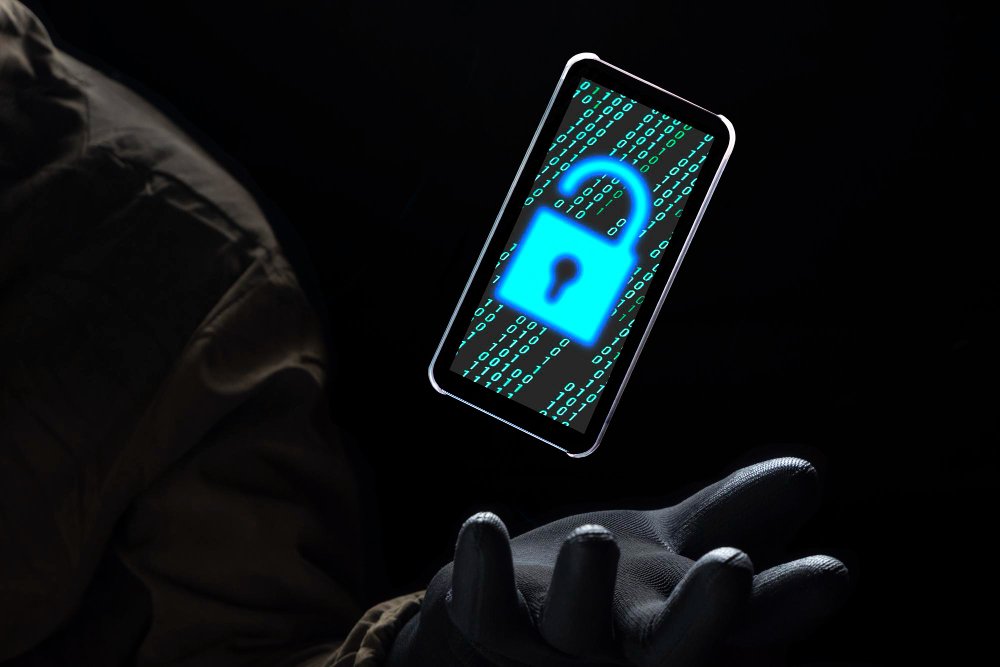
1. Use Strong Passwords and Biometrics
One simplest yet most effective way to secure your smartphone is by using strong passwords, PINs, or biometric authentication (such as fingerprint or facial recognition). A strong password should be a mix of letters, numbers, and special characters and not easily guessable. Avoid using common passwords like “123456” or “password.” Biometric methods add an extra layer of security as they are harder to replicate.
2. Keep Your Software Updated
Regularly updating your smartphone’s operating system and apps is vital. Software updates often include security patches that fix vulnerabilities that hackers could exploit. Enable automatic updates to ensure the latest security measures always protect you.
3. Install Security Software
Consider installing a reputable mobile security app that offers malware detection, phishing protection, and the ability to remotely locate, lock, or wipe your device if it’s lost or stolen. Many of these apps also offer real-time protection against emerging threats.
4. Be Cautious with App Downloads
Only download apps from trusted sources like the Apple App Store or Google Play Store. Avoid third-party app stores as they are more likely to host malicious apps. Check app reviews and ratings before downloading, and pay attention to the permissions an app requests. If an app asks for access to more data than it needs, it’s best to avoid it.
5. Enable Two-Factor Authentication (2FA)
Two-factor authentication adds an extra layer of security to your accounts. If someone gains access to your password, they still need a second verification form to access your account. Enable 2FA on all accounts that offer it, including your email, social media, and banking apps.
6. Back Up Your Data Regularly
Regular backups ensure you don’t lose important data if your phone is lost, stolen, or compromised. Use cloud services or local backups to keep your photos, contacts, documents, and other essential data safe. Many smartphones have built-in backup solutions that you can schedule to run automatically.
7. Be Wary of Public Wi-Fi
Public Wi-Fi networks are often insecure and can be a target for hackers to intercept your data. Avoid accessing sensitive information, such as online banking or shopping, over public Wi-Fi. If you must use public Wi-Fi, consider using a Virtual Private Network (VPN) to encrypt your internet connection and protect your data from prying eyes.
8. Lock Your Phone When Not in Use
Always lock your smartphone when you’re not using it. This simple habit can prevent unauthorized access to your device. Most smartphones offer convenient locking methods, such as pressing the power button or using a shortcut.
9. Use Encryption
Encryption converts your data into a code to prevent unauthorized access. Many smartphones come with built-in encryption options. Ensure that your device is encrypted, mainly if it contains sensitive information. This adds a layer of protection, making it harder for anyone to access your data without the correct credentials.
10. Monitor Your Accounts
Regularly monitor your financial and online accounts for any unusual activity. Set up alerts for transactions and logins to quickly detect and respond to unauthorized access. Many services offer detailed account activity logs to help you spot suspicious behaviour.
11. Be Careful with Links and Attachments
Phishing attacks are common and can lead to significant security breaches. Be cautious when clicking links or opening attachments in emails, text messages, or social media messages, especially if they come from unknown or suspicious sources. These can often be disguised attempts to steal your personal information.
12. Disable Bluetooth and Wi-Fi When Not in Use
Keeping Bluetooth and Wi-Fi on when you’re not using them can expose your smartphone to potential threats. Turn off these features when not in use to reduce the risk of unauthorized access and improve your phone’s battery life.
13. Use Remote Tracking and Wiping
Enable remote tracking and wiping features on your smartphone. If your phone is lost or stolen, these features allow you to locate your device and, if necessary, erase all data remotely to prevent it from falling into the wrong hands.
14. Educate Yourself on Common Threats
Stay informed about the latest smartphone security threats and how to avoid them. Understanding common cybercriminal tactics can help you recognize and prevent potential attacks. Follow reputable tech news sites, blogs, and cybersecurity experts to keep up-to-date with the latest information.
15. Secure Your Lock Screen
Your lock screen is the first line of defence against unauthorized access. Customize your lock screen settings to limit the information displayed, such as notifications that could reveal sensitive information. Use a secure method like a PIN, password, or biometric lock to ensure only you can unlock your device.
16. Manage App Permissions
Review and manage app permissions regularly to ensure that apps only have access to the information they need to function. Go to your phone’s settings to see each app’s permissions and deactivate any that seem unnecessary. This reduces the risk of apps collecting and mishandling your data.
17. Use Secure Messaging Apps
Opt for messaging apps that offer end-to-end encryption, ensuring that only you and the recipient can read the messages. Apps like Signal, WhatsApp, and iMessage provide secure communication channels that protect your conversations from intercepting.
18. Be Mindful of Social Engineering
Social engineering attacks involve tricking individuals into revealing confidential information. Be cautious of unsolicited calls, messages, or emails asking for personal information. Always verify the identity of the person or organization before sharing any sensitive details.
19. Avoid Jailbreaking or Rooting Your Device
Jailbreaking (iOS) or rooting (Android) your smartphone can give you greater control over your device but also make it more vulnerable to security threats. These processes remove built-in security features and can expose your phone to malware and unauthorized access. Stick to the official software provided by your device manufacturer to maintain security.
20. Regularly Review Privacy Settings
Review the privacy settings on your smartphone and within individual apps to control how your information is shared and accessed. Most smartphones and apps offer privacy settings that allow you to limit data collection and sharing. Regularly checking these settings helps ensure your information remains secure.
By following these comprehensive steps, you can significantly enhance the security of your smartphone and protect your personal information from a wide range of threats. Staying vigilant and proactive about smartphone security is essential in an era where our devices are central to our daily lives.
Conclusion
Several inbuilt techniques ensure your Android phone’s safety. Start by reviewing your applications, monitoring your Google syncing, encrypting your internet activities with a robust VPN like ExtremeVPN, and using safe email providers. It’s best to avoid Google Search entirely on your Android smartphone. Adding two-factor authentication to your phone’s security could be the best action.
FAQs About Smartphone Security
Q1: How often should I update my smartphone’s software?
A1: You should enable automatic updates to ensure your smartphone always has the latest security patches. If you prefer manual updates, check for updates at least once a month.
Q2: What is two-factor authentication (2FA), and why is it important?
A2: Two-factor authentication adds an extra layer of security by requiring a second form of verification, such as a code sent to your phone, in addition to your password. This makes it harder for hackers to gain access to your accounts.
Q3: How can I tell if an app is safe to download?
A3: Only download apps from official app stores like the Google Play Store or Apple App Store. Check the app’s reviews, ratings, and permissions it requests before downloading.
Q4: What should I do if I suspect my smartphone has been infected with malware?
A4: Immediately run a scan with a reputable antivirus app. If malware is detected, follow the app’s instructions to remove it. You may also consider performing a factory reset to ensure all malware is eliminated, but be sure to back up your data first.
Q5: How do I know if I’m connected to a secure Wi-Fi network?
A5: Secure Wi-Fi networks require a password to join and use encryption, such as WPA2 or WPA3. Avoid using open, password-free networks and consider using a VPN for added security.
Q6: What are the signs of a phishing attempt?
A6: Phishing attempts often come as unsolicited emails or messages that ask for personal information or direct you to a suspicious website. Look for poor grammar, urgent requests, and unfamiliar sender addresses.
Q7: How can I back up my smartphone data?
A7: Use cloud services like Google Drive or iCloud for automatic backups. You can also back up your data manually to your computer or an external storage device.
Q8: Should I turn off NFC and Bluetooth when not in use?
A8: Yes, disabling unnecessary features when not in use reduces the risk of unauthorized access and conserves battery life.
Q9: What should I do if my smartphone is lost or stolen?
A9: Use your security software’s anti-theft features to locate, lock, or wipe your device remotely. Report the loss to your service provider and local authorities.
Q10: How can I stay informed about the latest smartphone security threats?
A10: Follow tech news sites, cybersecurity blogs, and consider subscribing to security newsletters. Staying informed helps you anticipate and protect against new threats.